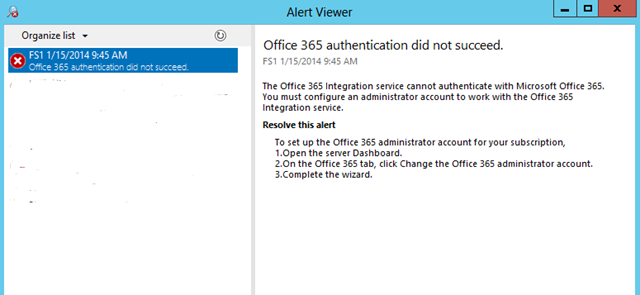
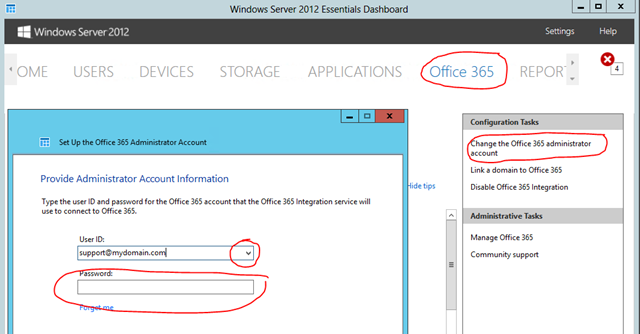
I have had a few questions regarding a message “Office 365 authentication did not succeed” suddenly appearing both in the daily reports and the Alert Viewer of Server Essentials. The alert viewer suggests changing the admin account (or refresh it) in the Office 365 tab of the Essentials Dashboard, however doing so fails with a message stating you are using the wrong account or password.
In most cases if you log into the Office 365 site using the domain’s admin e-mail account you will find the password has expired and you are asked to update it. Do so and return to the Dashboard entering the new password which should now allow it to validate and eliminate the error.

 LAN-Tech Network Management
Comments on: "Office 365 authentication did not succeed" (1)
Thanks for this. When I logged into O365 with the account, it did /not/ show as expired. I changed the password and tried the Windows Server 2012 Essentials O365 config UI again and it took it.